APAAR ID Not Generating in UDISE Plus 2026-27 – Reasons & Step-by-Step Fixes
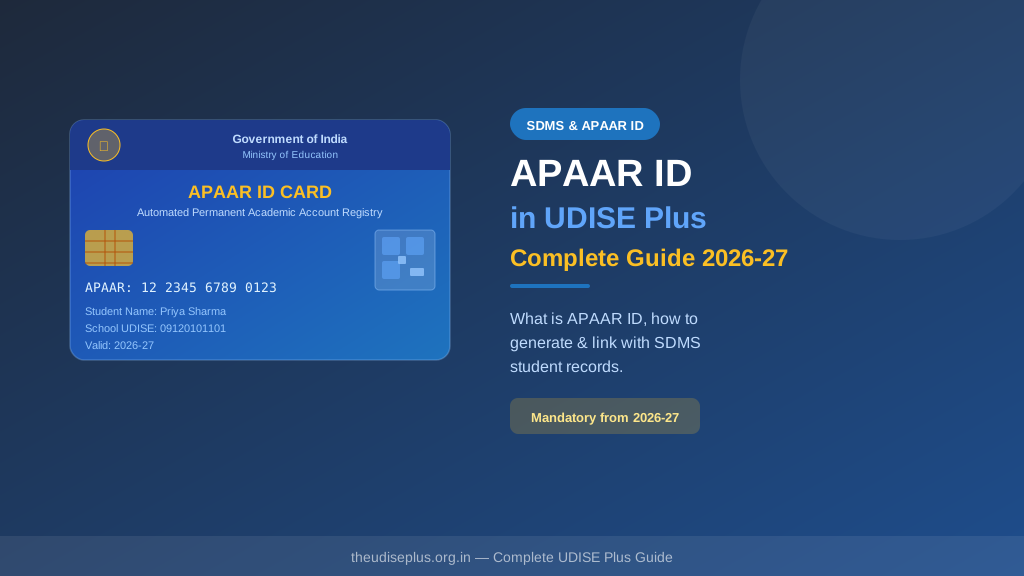
APAAR ID fails to generate in UDISE Plus when student details do not match the UIDAI Aadhaar database. The most common causes are name spelling mismatch, wrong date of birth, and incorrect 12-digit Aadhaar number. Fix: verify the student's details against the physical Aadhaar card, correct the entry in the Student Module, and re-trigger APAAR ID generation.
📋 Table of Contents (click to collapse)
- What is APAAR ID and How is It Generated?
- Reason 1–2: Aadhaar Name and DOB Mismatch
- Reason 3–4: Missing or Invalid Aadhaar Number
- Reason 5–6: Mobile Number and OTP Issues
- Reason 7–8: Duplicate Entry and Technical Errors
- Step-by-Step Fix for Each Error
- What to Do If APAAR ID Still Does Not Generate
- Students Without Aadhaar – What is the Option?
- Frequently Asked Questions (FAQs)
What is APAAR ID and How is It Generated?
APAAR ID (Academic Bank of Credits and Academic Reference ID) is a 12-digit unique ID given to every student in India. It works like an Aadhaar card for education – it stays with the student for life and keeps a record of all their academic achievements, transfers, and certificates.
In UDISE Plus 2026-27, generating APAAR ID for every student is mandatory. The ID is linked directly to the student's identity document (Aadhaar). This is both the strength and the most common source of problems – if the details on record do not match, generation fails.
If any detail does not match what UIDAI has on record, the verification fails and APAAR ID does not generate. This is the root cause of almost all APAAR ID generation problems.
Reason 1–2: Aadhaar Name and DOB Mismatch
Reason 1 – Name Does Not Match Aadhaar
This is the number one reason for APAAR ID generation failure. The name you enter in UDISE Plus must be exactly the same as printed on the Aadhaar card – including spelling, spaces, and initials. Even small differences like "Mohd" vs "Mohammad" or "Devi" vs "DEvi" will cause failure.
What to do: Keep the physical identity card in hand. Copy the name character by character. Do not rely on what the school register says – the Aadhaar is the master record for this purpose.
Reason 2 – Date of Birth Mismatch
The date of birth entered in UDISE Plus must match the card exactly. Many documents show only the year of birth (when the exact DOB was not provided during enrollment). In such cases, UDISE Plus typically accepts January 1 of that year as the default DOB – but verify this with your Block MIS Coordinator as the process may vary.
| Common Mismatch | Example | Solution |
|---|---|---|
| Name spelling | "Riya" vs "Rya" on Aadhaar | Use exact card spelling |
| Name order | "Ram Kumar" vs "Kumar Ram" | Match the card order exactly |
| DOB day/month swapped | 05/08 entered as 08/05 | Re-read the card carefully |
| Year only DOB on record | Card shows "2014" | Ask Block MIS Coordinator for correct format |
Reason 3–4: Missing or Invalid Aadhaar Number
Reason 3 – Aadhaar Number Entered Incorrectly
This is a 12-digit number. If you miss one digit, add an extra, or swap two digits, the UIDAI verification will fail. Always read it digit by digit from the physical card. The last 4 digits are usually visible even on a masked copy – make sure you have the full 12-digit number before entering.
Reason 4 – Enrollment Not Yet Active in UIDAI System
Some students, especially young children enrolled in Class 1, may have a newly issued card. New registrations sometimes take 24–48 hours to become active in the UIDAI database. If you just received the document and are trying immediately, wait one day and try again.
Reason 5–6: Mobile Number and OTP Issues
Reason 5 – OTP Not Received on Mobile
APAAR ID generation requires OTP verification. The OTP is sent to the mobile number linked with the student's Aadhaar. If the parent changed their number or the original SIM is lost, the OTP will not arrive. The parent must update the registered mobile number at the nearest Seva Kendra before APAAR ID generation can proceed.
Reason 6 – OTP Expired Before Entering
OTP is valid for only 10 minutes. If you receive the OTP but take too long to enter it (due to network issues or slow portal), it will expire and show "invalid OTP". Request a new OTP and enter it quickly.
Reason 7–8: Duplicate Entry and Technical Errors
Reason 7 – "Duplicate Record Found" Error
This means the student already has an APAAR ID linked to that 12-digit identity number – generated at a previous school. This is not an error – it is correct behaviour. Do not try to create a new APAAR ID. Search for the existing one using the student's ID number and link it to your school's record.
Reason 8 – Portal Technical Error / Timeout
Sometimes the UIDAI verification server is slow or temporarily unavailable, causing APAAR ID generation to fail even when all details are correct. If you see a generic server error, wait 30 minutes and try again. Try during off-peak hours (early morning or late evening).
Step-by-Step Fix for Each Error
- Keep the student's Aadhaar card physically in front of you before starting
- Enter the name exactly as printed on the card – letter by letter
- Enter date of birth exactly as printed on the document (DD/MM/YYYY format)
- Enter all 12 digits carefully – count them after entering
- Confirm the linked mobile number is still active
- Enter OTP within 10 minutes of receiving it
- If duplicate error: search for existing APAAR ID with the student's 12-digit ID
- If technical error: wait 1–2 hours and try again during low-traffic hours
What to Do If APAAR ID Still Does Not Generate
If you have checked all the above and APAAR ID still fails, follow this escalation path:
- Step 1: Contact your Block MIS Coordinator with the student's UDISE record and Aadhaar card copy
- Step 2: Block MIS Coordinator will verify and escalate to the District APAAR Nodal Officer
- Step 3: District officer contacts UIDAI for manual resolution if there is an identity database issue
- Step 4: Once resolved at district level, try generating APAAR ID again in the portal
Students Without Aadhaar – What is the Option?
Some students – especially very young children or those from remote areas – may not have Aadhaar yet. For these students:
- Get the student enrolled for Aadhaar first at the nearest Seva Kendra (post office or CSC centre)
- Children below 5 years receive a Baal Aadhaar (blue coloured) – this is valid for APAAR ID generation
- Once the enrollment is complete and active (usually within 7–10 days), generate APAAR ID in UDISE Plus
- Do not leave the student's APAAR ID blank permanently – it is mandatory for 2026-27
❓ Frequently Asked Questions (FAQs)
Here are the most common questions people ask about APAAR ID Not Generating in UDISE Plus 2026-27 – Reasons & Step-by-Step Fixes.
✅ Conclusion
APAAR ID generation failure is almost always because of a mismatch between the data entered in UDISE Plus and the details on the student's Aadhaar card. The fix is simple – verify every field against the Aadhaar card before entering, especially the name, date of birth, and Aadhaar number. Do not rush through APAAR ID generation. Take one student at a time, cross-check with the Aadhaar card in hand, and save only when all details match. If you are still stuck after trying all fixes, your Block MIS Coordinator can escalate the issue to the district APAAR nodal officer.