Tripura School Education Dashboard: Step-by-Step Attendance & UDISE Login Guide
📋 Table of Contents (click to collapse)
- Introduction to the Tripura School Education Dashboard
- The Modern Tripura Education System and Its Digital Transition
- Daily Student and Teacher Attendance Tracking
- Step-by-Step SDMS Login Guide for Tripura Schools
- Troubleshooting Attendance Submission and Synchronization Errors
- Tripura School Dashboard Support and Helpline Information
- Frequently Asked Questions (FAQs)
Imagine that you are a school principal in Agartala, opening your office at 8:00 AM. Your phone rings. It is the district education coordinator asking why your school's daily attendance records are blank on the state monitor. You check your internet connection, try to load the web interface, and realize that your entry dashboard is showing a synchronization timeout error. This is a common issue for many school administrators in Tripura as they adapt to new digital reporting tools.
The state of Tripura has launched a comprehensive school education dashboard to track daily progress and manage administrative data. By combining local monitoring tools with the national database through udise tripura, the state government now monitors student metrics in real time. For school heads and administrative operators, mastering this platform is essential to ensure that your school continues to receive composite grants and midday meal allocations. In this guide, we provide a complete overview of the portal, explain daily tracking requirements, and outline the steps for troubleshooting common errors.
Introduction to the Tripura School Education Dashboard
The Tripura school education dashboard functions as a centralized hub for educational monitoring, resource planning, and data visualization. By gathering information from thousands of schools, this portal gives administrators, policy makers, and parents an accurate view of the state's school system. The system integrates school profile information, teacher details, and student demographics under a single digital roof.
At the center of this integration is the udise tripura database. Every school in the state is identified by its unique 11-digit UDISE+ code. This code links local data with the national database, allowing the system to track metrics like enrollment figures, classroom counts, toilet facilities, and digital learning tools. The dashboard analyzes these statistics to identify schools that need immediate assistance or are eligible for infrastructure grants.
By digitizing these processes, the dashboard eliminates the need to compile paper reports manually. School heads can access their profile data, check their budget status, and review compliance metrics from any device with an active internet connection. This transparency helps create a more accountable system and ensures that educational resources go where they are needed most.
The Modern Tripura Education System and Its Digital Transition
In recent years, the tripura education system has undergone a rapid digital transformation. The state government has phased out paper-based registers in favor of automated databases. These changes aim to improve the quality of classroom instruction, streamline administration, and reduce administrative workloads for teachers.
This digital transition relies on several interconnected platforms:
- Shiksha Darpan Tripura: The local portal that manages teacher profiles, transfer files, service records, and professional training history.
- State SDMS Portal: The Student Database Management System used to track student promotions, class changes, and admissions.
- Tripura Education Dashboard: A public-facing analytical platform that displays enrollment rates, dropout statistics, and overall school infrastructure indicators.
- National UDISE Plus: The central database that compiles national statistics to coordinate policy planning and allocate federal grants.
This transition has fundamentally changed how schools run. Regular administrative checks are now automated, meaning that funding allocations depend directly on the information in the database. Consequently, school operators must update their records weekly to keep their facilities running smoothly.
Daily Student and Teacher Attendance Tracking
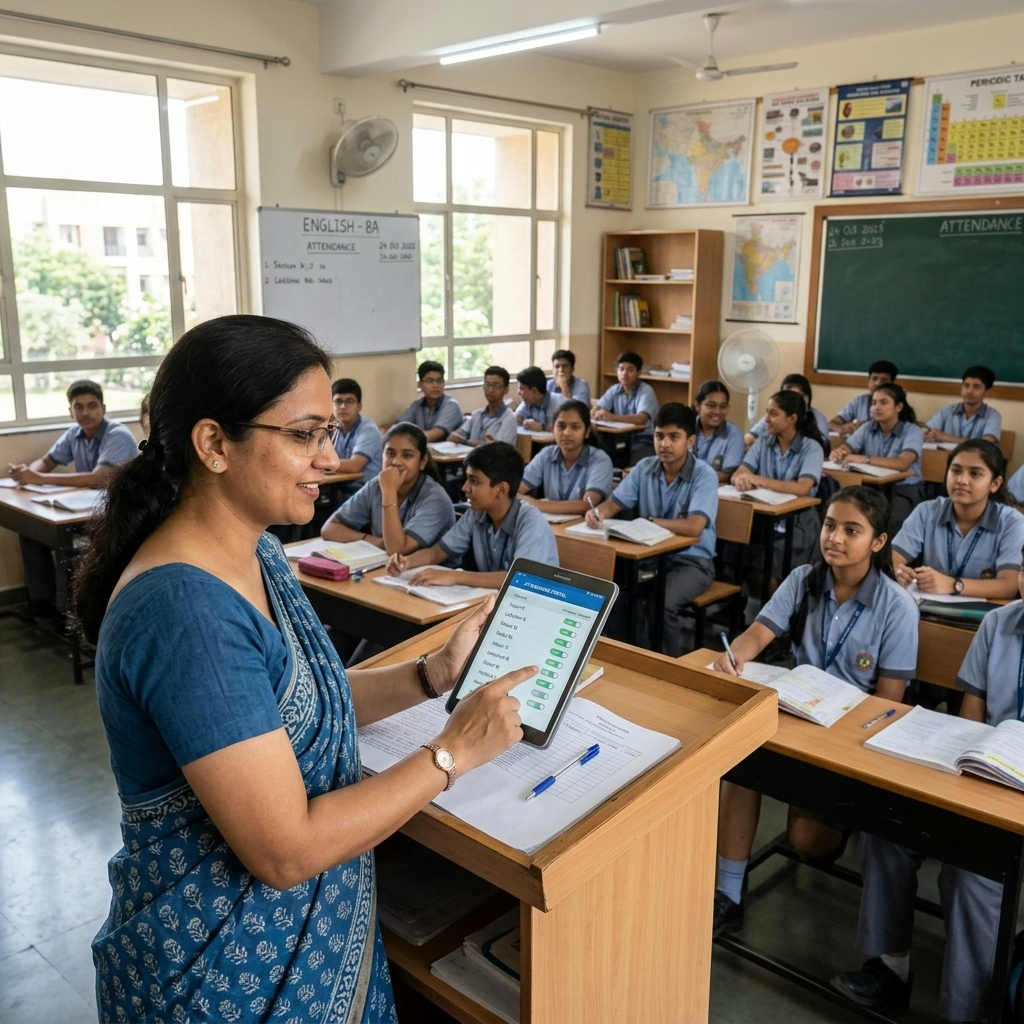
Tracking attendance is one of the most critical daily tasks on the state dashboard. Recording tripura attendance metrics is no longer a weekly or monthly task; schools must upload this data by 10:30 AM every morning. This rule helps prevent fraud, tracks student retention, and ensures that midday meal allocations are calculated accurately.
To record daily attendance on the portal, follow this administrative checklist:
| Attendance Category | Method of Recording | Submission Deadline | Key Performance Indicator |
|---|---|---|---|
| Student Attendance | Class teacher entries consolidated via the portal or mobile app | 10:30 AM Daily | Determines midday meal allocations for the day |
| Teacher Attendance | Aadhaar-Enabled Biometric System or portal login | 9:15 AM Daily | Monitors teacher presence and tracks leave balances |
| Midday Meal Count | Consolidated count of students served | 12:30 PM Daily | Validates daily food expenses and inventory usage |
If you miss the morning deadline, the portal locks the edit window for the day. This lock can cause the system to record zero attendance, which can lead to warnings from the Block Education Office. Therefore, school heads must assign a backup operator to ensure that attendance is uploaded on time even if the primary operator is absent.
Step-by-Step SDMS Login Guide for Tripura Schools
Updating student records, handling promotions, and importing new admissions requires logging into the Student Database Management System (SDMS). Follow this guide to access the portal and update your student files:
- Go to the Official Portal: Open your web browser and navigate to the UDISE Plus state login portal. Select "Tripura" from the state dropdown menu.
- Enter Your Login Credentials: Input your school's unique login ID (which is usually your 11-digit UDISE code), password, and the verification captcha code displayed on screen.
- Navigate to the SDMS Module: Click on the Student Module box to load your school's enrollment dashboard.
- Check the Active Academic Year: Ensure that the dashboard shows the current academic session in the top-right corner. Working in the wrong year will corrupt your data.
- Update Class Sections: Select "School Dashboard" to view your class-wise enrollment lists. Check that your class counts match your offline registers.
- Register New Admissions: Click "Add Student" to create a new profile. Enter their personal details, Aadhaar number, and parents' names.
- Authenticate and Finalize: Click "Authenticate Aadhaar" to verify the student's details against the UIDAI database. Once verified, click "Save" to finalize their profile.
Troubleshooting Attendance Submission and Synchronization Errors
Because these databases handle high volumes of traffic every morning, school operators often run into login issues, slow page loads, and data synchronization errors. Understanding how to handle these technical snags keeps your records updated without interruption.
Here are the common errors you might encounter and how to fix them:
- "Server Connection Failed" Error: This error usually occurs when many users log in at the same time. Try clearing your browser's cookies and cache, or try accessing the portal using an incognito window.
- Mobile App Sync Failures: If your mobile app fails to push daily attendance data to the main server, check your network connection. If your connection is stable, go to the app's settings menu, select "Clear Offline Cache", and click "Force Sync" to manually push the records.
- Duplicate Student Entries: If the portal displays a duplicate error warning during a student registration, do not try to create a new profile. Search for the student's Aadhaar number in the database dropdown list to locate and link their existing profile.
- Incorrect Class Mappings: If a student appears in the wrong class section after an update, go to the "Correction Module" and request a section transfer. Do not delete the profile, as this will erase their historic attendance records.
If these troubleshooting steps do not resolve the issue, write down the specific error code and contact your block technical support team before the daily reporting window closes.
Tripura School Dashboard Support and Helpline Information
If you run into persistent errors that cannot be fixed at the school level—such as locked accounts, incorrect school profile mapping, or system-wide errors—you must escalate the issue to the district technical support team.
For administrative assistance, prepare a detailed request including the following information:
- School Information: Your school's official name and 11-digit UDISE code.
- Error Details: A clear screenshot of the error message, along with the date and time you encountered it.
- Impact Level: Note whether the issue affects a single student, a group of teachers, or block access to the entire portal.
- Contact Details: Provide the school head's registered mobile number and email address for follow-up communication.
Send this information to your Block Resource Coordinator (BRC) or file a ticket through the helpdesk link on the main education portal page. Keeping these contacts on hand helps you resolve system-wide bugs quickly and ensures that your school's digital records remain accurate.
Udise Plus Student (SDMS) Login Module (State Wise)
❓ Frequently Asked Questions (FAQs)
Here are the most common questions people ask about Tripura School Education Dashboard: Step-by-Step Attendance & UDISE Login Guide.
✅ Conclusion
The Tripura School Education Dashboard represents a major milestone in digitizing school administration. By utilizing UDISE Tripura data and daily attendance tracking, the education department can monitor schools in real time, distribute grants efficiently, and address infrastructure gaps. School heads and operators must keep their portals updated and verify data weekly. Consistently updating student and staff records ensures that your school receives its resources on time.
