UDISE Plus Mobile App: Download, Features, and How to Use It
📋 Table of Contents (click to collapse)
- What the UDISE Plus Mobile App Is Actually For
- How to Download UDISE Plus App Safely
- Key UDISE Plus App Features Explained
- School App Android vs. Desktop Portal: When to Use Each
- Troubleshooting Common UDISE Plus App Issues
- Data Privacy Considerations When Using the App
- Common Mistakes to Avoid
- App vs. Desktop Portal Comparison
- Why the App Matters Alongside NEP 2020 Digital Access Goals
- Conclusion
- Frequently Asked Questions (FAQs)
Search any app store for "UDISE" and you will find more listings than you might expect — some genuinely useful, others outdated, unofficial, or entirely unrelated to the real system. Before you download UDISE Plus app onto a school device, it helps to know exactly what the official app is meant to do, since it is not a full replacement for the desktop portal. This guide walks through the UDISE Plus mobile app, its core features, how it compares to browser-based data entry, and how to confirm you have installed the genuine version rather than a lookalike.
App availability, exact feature sets, and store listings are updated periodically by the Ministry and its technical partners, so verify the current official listing before installing on any school device.
By the end, you will know what the app is genuinely useful for, what still requires the desktop portal, and how to avoid unofficial imitations.
What the UDISE Plus Mobile App Is Actually For
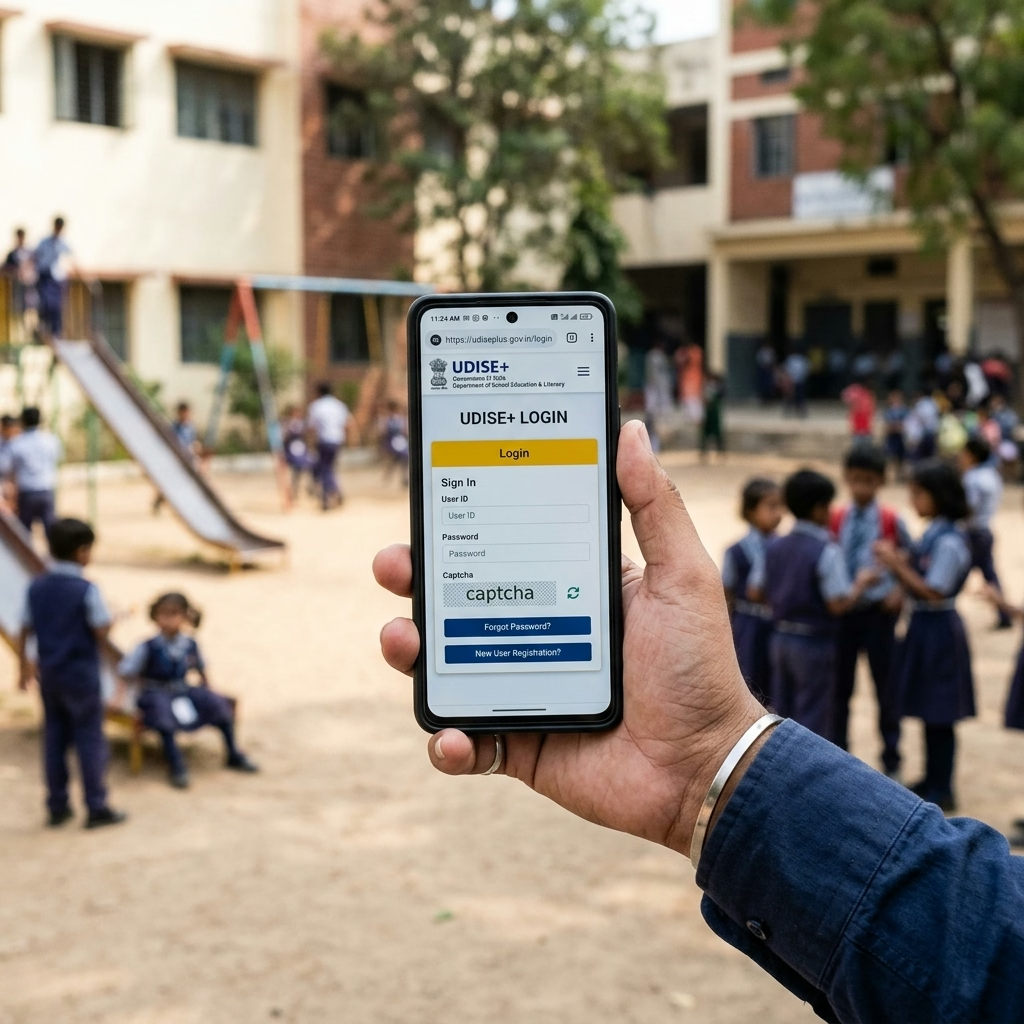
The UDISE Plus mobile app is primarily built around lightweight, on-the-go tasks rather than full-scale data entry replacement. Its most widely used function is powering the Know Your School (KYS) lookup on mobile, letting parents, officials, and the general public search verified basic information about any listed school without needing a login.
Beyond public lookup, the app typically supports certain mobile data entry and verification tasks for authorized users — useful for a Block or Cluster Resource Centre official conducting a physical school visit who needs to check or confirm data on the spot rather than returning to a desktop later. It is not, however, designed to fully replace the browser-based DCF certification workflow, which remains more practical on a larger screen.
[Internal link: what UDISE Plus is and why KYS exists → What Is UDISE Plus? Purpose and Benefits of India's National School Information System]
How to Download UDISE Plus App Safely
Because so many unofficial or outdated listings exist, verifying you are about to download UDISE Plus app from a legitimate source matters more here than for most government apps.
Safe Download Steps
- Search your device's official app store (Google Play Store for Android devices) using precise terms related to UDISE+ and Know Your School.
- Check the developer or publisher name listed on the app page — it should clearly indicate an official Ministry of Education or affiliated government technical body, not an unrelated third-party developer.
- Review the number of downloads, ratings, and recent reviews; an official government app in wide use typically has a substantial and consistent install base rather than a handful of scattered reviews.
- Cross-check the app's listing against any official link shared through your state education department or the UDISE+ portal itself, rather than trusting search-result ranking alone.
- Avoid any listing that requests unusual permissions unrelated to its stated purpose, such as broad access to contacts or files with no clear connection to school data lookup.
[VERIFY: current official app store link and exact publisher name before sharing with schools]
Red Flags of an Unofficial or Fake Listing
- A publisher name that does not match any recognizable government or Ministry-affiliated entity.
- Extremely few downloads despite claiming to be a widely used national system.
- Outdated screenshots that don't match current UDISE+ branding or module names.
- Reviews mentioning login failures, data mismatches, or requests for payment — the official system does not charge for basic access.
- App descriptions riddled with spelling errors or vague, generic claims rather than specific references to School Profile, Facilities, or KYS functionality.
A common mistake schools make is downloading the first result that appears in a search without checking the publisher, especially when a staff member is in a hurry during a field visit. Taking thirty extra seconds to verify the listing avoids installing something that could mishandle sensitive school or student data.
Key UDISE Plus App Features Explained
Once you have confirmed a legitimate installation, here is what the UDISE+ app features typically cover.
Know Your School (KYS) Mobile Lookup
- Search by school name, UDISE code, state, district, or block to pull up basic verified school information.
- View details such as management type, grade levels offered, and broad infrastructure indicators without needing any login credentials.
- Use this feature to quickly verify a school's legitimacy or basic details during admissions season or while conducting fieldwork.
App Login for Authorized Users
- Authorized users — school staff, block officials, or district coordinators — can typically complete an app login using the same credentials as the desktop portal.
- Once logged in, the app may support limited data verification or update tasks depending on your role and the app's current feature set.
- Session behavior on mobile can differ from desktop, so avoid leaving critical, time-sensitive certification tasks for the app alone.
Mobile Data Entry for Field Visits
- Officials conducting physical school inspections can use mobile data entry to record or confirm facility conditions on-site.
- This reduces the lag between a physical verification visit and the corresponding update reaching the central system.
- Entries made in the field often sync once a stable connection is available, which matters in low-connectivity rural areas.
[Internal link: what full certification requires beyond quick mobile checks → How to Certify UDISE Plus School Profile and Facilities]
School App Android vs. Desktop Portal: When to Use Each
Knowing when to reach for the school app Android version versus logging into the full desktop portal saves time and avoids incomplete submissions.
Best Suited to the Mobile App
- Quick public lookups through KYS mobile for parents or visitors.
- On-site verification tasks by officials during school visits.
- Checking basic status information without needing to edit extensive data tables.
Best Suited to the Desktop Portal
- Full DCF completion and certification across School Profile, Facilities, Teacher, and Student modules.
- Bulk uploads of teacher or student data using structured templates.
- Detailed review of validation errors and correction workflows that benefit from a larger screen and more stable session handling.
Troubleshooting Common UDISE Plus App Issues
Even after a legitimate install, the app can behave unpredictably, particularly in areas with inconsistent mobile network coverage.
Frequent App Problems and Fixes
- App login fails despite correct desktop credentials — clear the app's cache through your device settings, or reinstall if the issue persists, since a corrupted local cache is a common cause.
- KYS search returns no results for a known school — double-check spelling and try searching by UDISE code instead of school name, since name-based search can be sensitive to minor formatting differences.
- Data entered in the field doesn't appear on the desktop portal afterward — confirm the entry actually synced by checking for a confirmation message within the app, since entries made offline require a stable connection to push through.
- App crashes or freezes during use — check whether an update is available in the app store, since outdated versions are more prone to instability as the backend system evolves.
- Notifications or alerts inside the app seem outdated — this is often a caching issue rather than a genuine data problem; a fresh login typically resolves it.
When a school administrator in a rural block used the app during a Block Resource Centre visit and found that facility updates entered on-site never appeared on the desktop portal days later, the cause turned out to be a sync failure from an unstable connection at the time of entry. Always confirm an in-app success message before assuming a mobile update has actually reached the central system, and follow up on the desktop portal if there's any doubt.
Data Privacy Considerations When Using the App
Because the UDISE Plus mobile app and its underlying system handle sensitive information — including Aadhaar-linked teacher and student records — schools should treat the app with the same security discipline as the desktop portal.
Practical Privacy Steps
- Install the app only on devices under the school's or an authorized official's direct control, not on personal devices shared with family members.
- Log out of the app after each session, particularly on shared or field-use devices, rather than leaving an authenticated session open indefinitely.
- Avoid granting the app any permissions beyond what its stated functionality requires, and revisit permission settings periodically.
- Report any suspected unofficial or fraudulent app impersonating UDISE+ to your district education office, since these listings can pose a real risk if users mistakenly enter school credentials into them.
Common Mistakes to Avoid
- Downloading the first search result without checking the publisher name, risking installation of an unofficial or fake listing.
- Attempting full DCF certification through the app when the task genuinely needs the desktop portal's larger interface and stability.
- Ignoring app permission requests that don't match its stated purpose, a common sign of an illegitimate listing.
- Assuming app login credentials differ from desktop credentials and creating unnecessary duplicate confusion.
- Relying on the app for time-sensitive certification deadlines without a stable connection to confirm submission actually completed.
- Sharing app download links from unofficial forwarded messages instead of verifying directly through the app store or the official portal.
App vs. Desktop Portal Comparison
| Task | Mobile App | Desktop Portal |
|---|---|---|
| Public school lookup (KYS) | Ideal | Also available, less convenient |
| Full DCF certification | Not recommended | Ideal |
| On-site facility verification | Ideal | Requires later manual entry |
| Bulk teacher/student upload | Not supported | Ideal |
| Password reset/account recovery | Limited | Ideal |
Why the App Matters Alongside NEP 2020 Digital Access Goals
Mobile-first access to education data aligns closely with the broader digital access goals under NEP 2020, which emphasizes bringing administrative and monitoring tools closer to the field level rather than keeping them confined to district offices. A functioning UDISE Plus mobile app extends the reach of Know Your School lookups to parents and communities who may not have easy access to a desktop computer, supporting broader transparency goals around school data.
[Internal link: how UDISE+ connects to NEP 2020 and national education policy → What Is UDISE Plus? Purpose and Benefits of India's National School Information System]
Conclusion
The UDISE Plus mobile app is a genuinely useful companion tool for quick lookups and field verification, but it is not a substitute for the full desktop certification workflow. Before you download UDISE Plus app onto any school or personal device, verify the publisher and listing details carefully given how many unofficial imitations exist in app stores. Use the app for Know Your School lookups and on-site checks, and reserve full data entry and certification for the desktop portal where the interface genuinely supports that workload.
[VERIFY: current official app store listing and version number]
---
Udise Plus Student (SDMS) Login Module (State Wise)
❓ Frequently Asked Questions (FAQs)
Here are the most common questions people ask about UDISE Plus Mobile App: Download, Features, and How to Use It.
✅ Conclusion
Keeping your school and employee data updated on the UDISE+ platform ensures compliance with government mandates, saves valuable time during audit cycles, and facilitates seamless transfers.